- Press the message key
 on the phone.
 - You’ll be prompted for your password. The default password is the extension number..
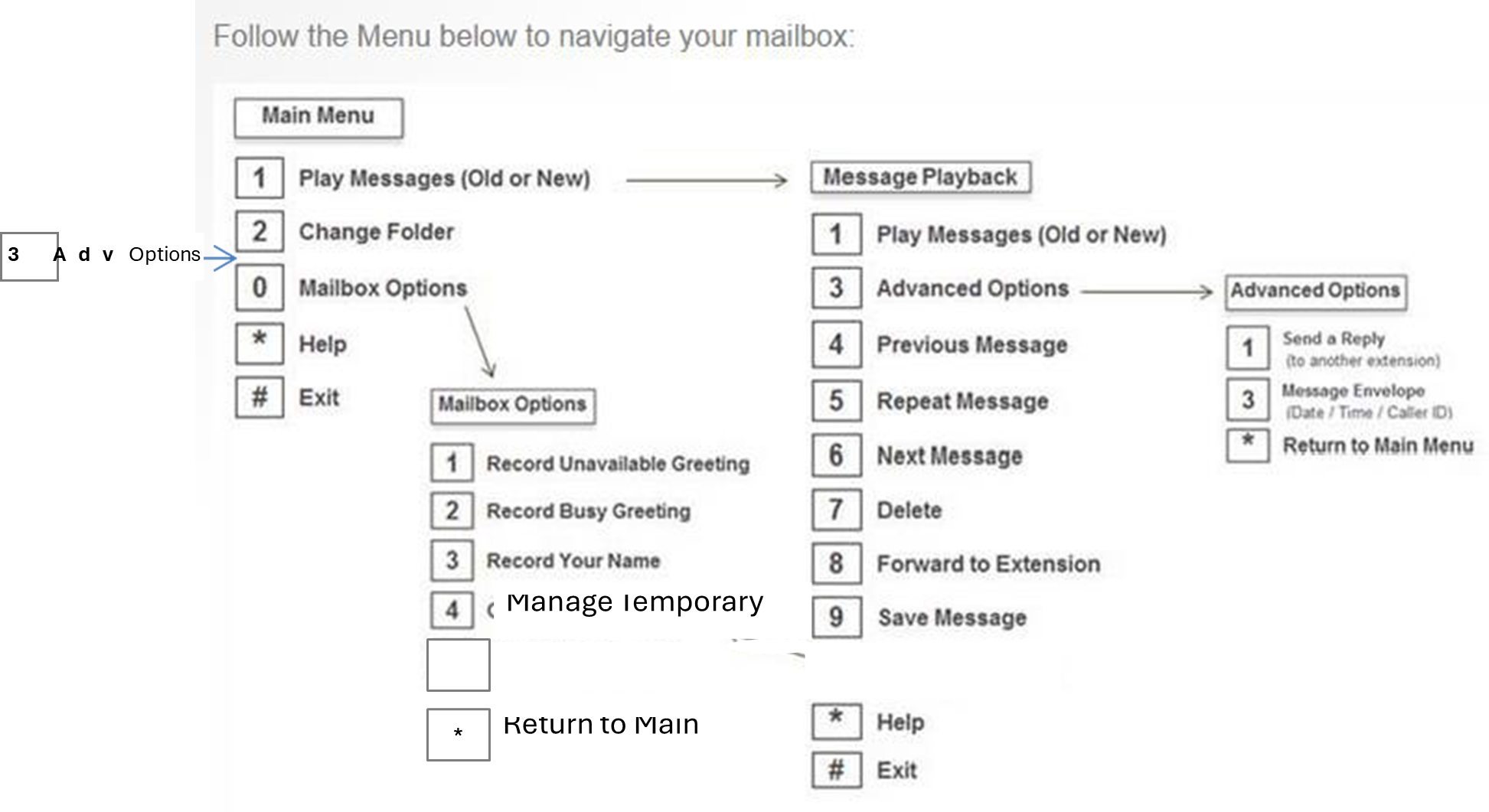
- Press ‘0’ for mailbox options.
- Follow the prompts (see below). Note: The system may not list some of these options if no messages are in your mailbox.
- If the mailbox is full messages will need to be deleted individually there is a maximum of 100 messages, and then the system will respond to the caller with mailbox is full message.
Was this article helpful?
That’s Great!
Thank you for your feedback
Sorry! We couldn't be helpful
Thank you for your feedback
Feedback sent
We appreciate your effort and will try to fix the article