You can use only one headset at a time. The headset is used according to the priority: USB headset/Bluetooth headset > YHS33/YHS34/YHS36/wireless headset.
If you want to use an analog headset, you'll require an optional headset YHS33/YHS34/YHS36.
Connecting the Analog Headset
- Insert the headset connector into the headset port on the back of your Yealink phone.
Wireless Headset
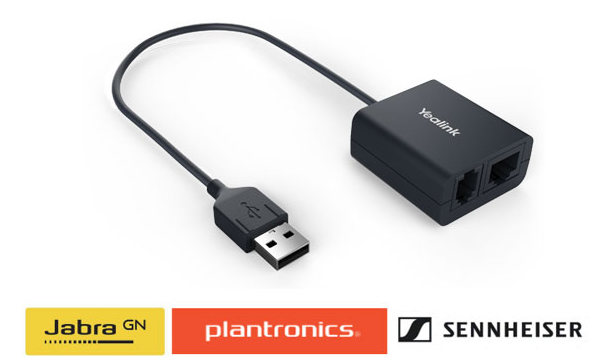
You can use most wireless headsets with your phone and with the following adapter (image shown below).
EHS40 provides the technical interface between your phone and an EHS-compatible wireless headset allowing you to answer and hang up on calls. This will work with headsets such as Sennheiser/Jabra (GN Netcom) or Plantronics headsets.
To install the EHS40 unit:
Link EHS40 to the USB port of the phone. Its plug-and-play functionality allows you to control your Yealink phone and answer and hang up calls remotely.
After the EHS40 and your headset are connected successfully, you can handle calls directly via your headset.
Note: You will not be able to transfer calls from your headset.
Supports Yealink VP59/T58W/T58A/T57W/T54W/T53W/T53/T42U/T43U/T46U/T48U/T48S/T46S/T42S/T41S IP Phones (apply to firmware version 83 or later)
Was this article helpful?
That’s Great!
Thank you for your feedback
Sorry! We couldn't be helpful
Thank you for your feedback
Feedback sent
We appreciate your effort and will try to fix the article